-
Type:
New Feature
-
Resolution: Fixed
-
Affects Version/s: None
-
Component/s: TermPortal
-
Medium
-
None
-
Added ability to create/update/delete proprietary attribute datatypes
-
None
-
Emptyshow more show less
Problem
Custom attributes need to be able to be managed in TermPortal (add, edit, delete).
So far custom attributes exist globally for all TermCollections. This is changed with https://jira.translate5.net/browse/TRANSLATE-5159 which has to be seen as a pre-requisite for this issue here. With https://jira.translate5.net/browse/TRANSLATE-5159 custom attributes are only linked to TermCollections and belong to them. Therefore if there the same attribute needs to exist in 2 TermCollections, it needs to exist twice in the DB.
Solution
Custom or proprietary attributes will be linked to the TermCollection they have been imported into or in which context they have been created, and no longer visible/available for the whole instance. This is implemented with https://jira.translate5.net/browse/TRANSLATE-5159
Besides that with this issue we will do the following:
Rename the tooltip
of the cogwheel icon in Termportal to
EN: Manage attributes
DE: Attribute verwalten
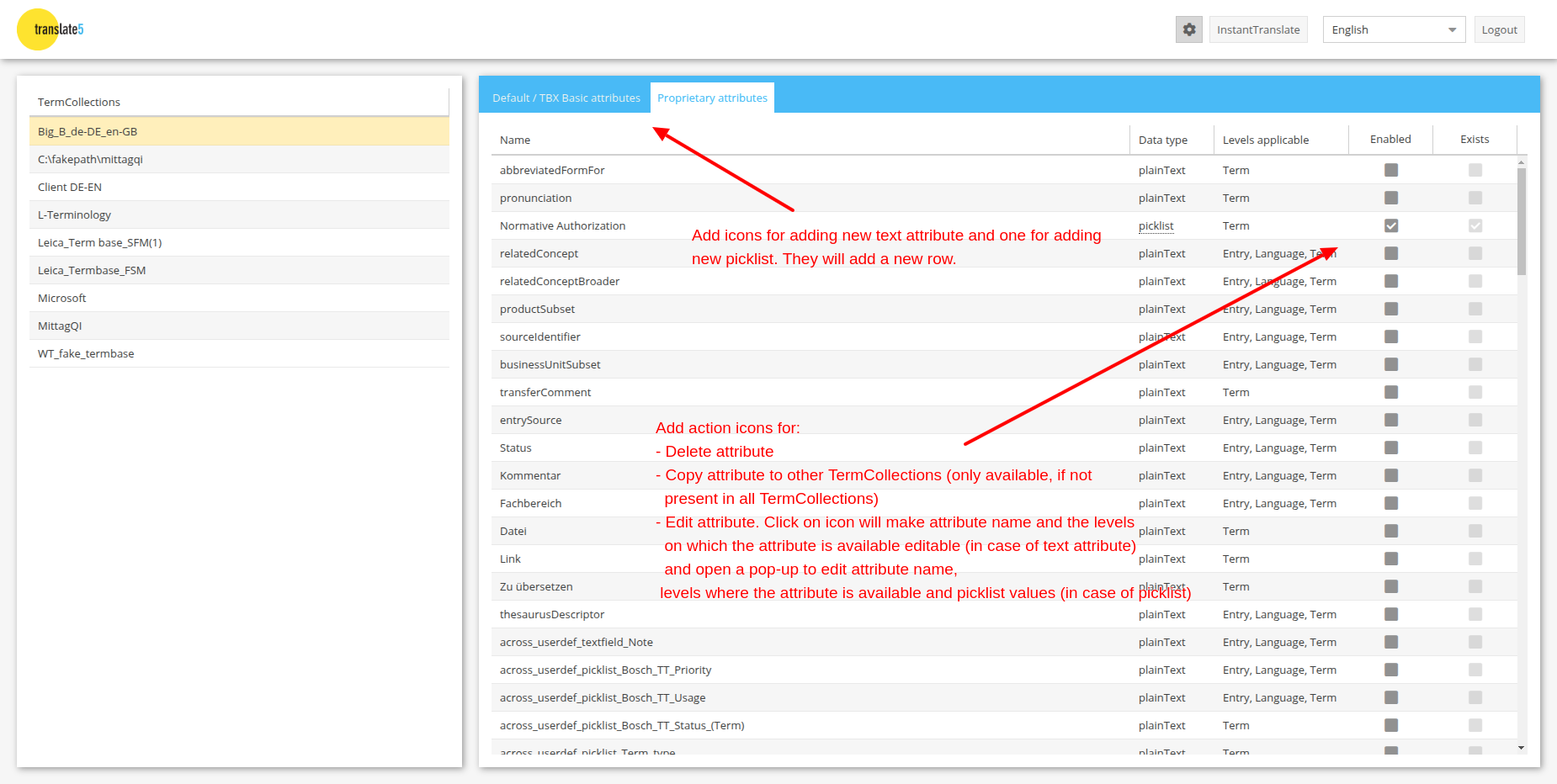
Add icons for adding
One new icon for adding new text attribute and one for adding new picklist. They will add a new row when saved.
In the "manage attributes tab of that area, add action icons for:
- Delete attribute (It will only delete that attribute from the current TermCollection)
- Copy attribute to other TermCollections (if effort regarding rights is low)
- Edit attribute. Click on icon
- in case of text or notetext attribute: will make attribute name and the levels on which the attribute is available editable
- in case of picklist: open a pop-up to edit
- attribute name
- levels where the attribute is available
- edit, add and delete picklist values.
- Deleting picklist value entries that are in use will show a warning.
- If deletion is done anyway, used values of course will also be deleted from the terms, where they are used.
- Add attribute: Works similar as "Edit attribute", yet with empty values and creates a new attribute

- relates to
-
- Done
- mentioned in
-
Page Loading...