-
Type:
Improvement
-
Resolution: Fixed
-
Affects Version/s: None
-
Component/s: usability language resources, usability task overview
-
Medium
-
None
-
Improved toolbar items order and added active filters toolbar in all major tabs
-
None
-
Emptyshow more show less
Problem
The filtering is inconsistent in projects, tasks, language resources etc. Good practice from one area of the application should be taken over to all areas.
Solution
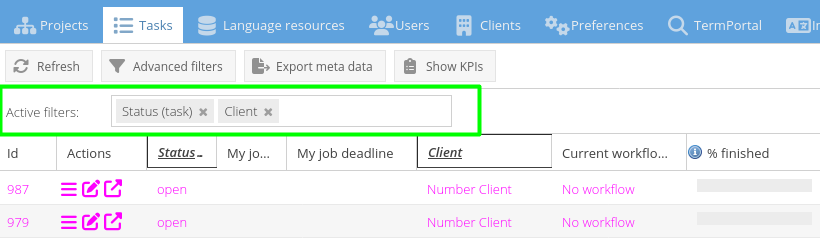
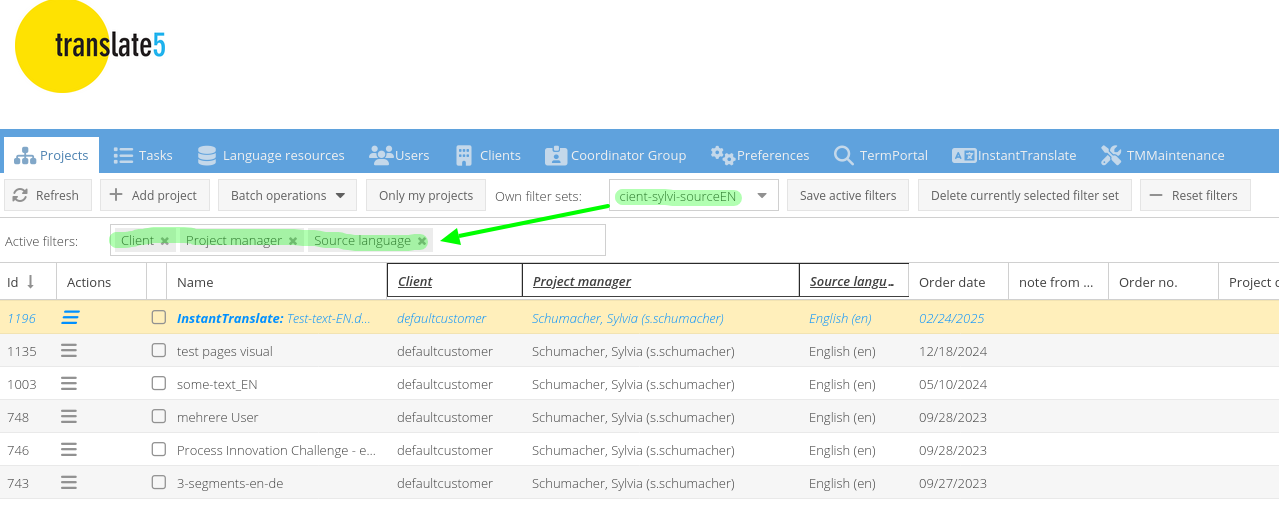
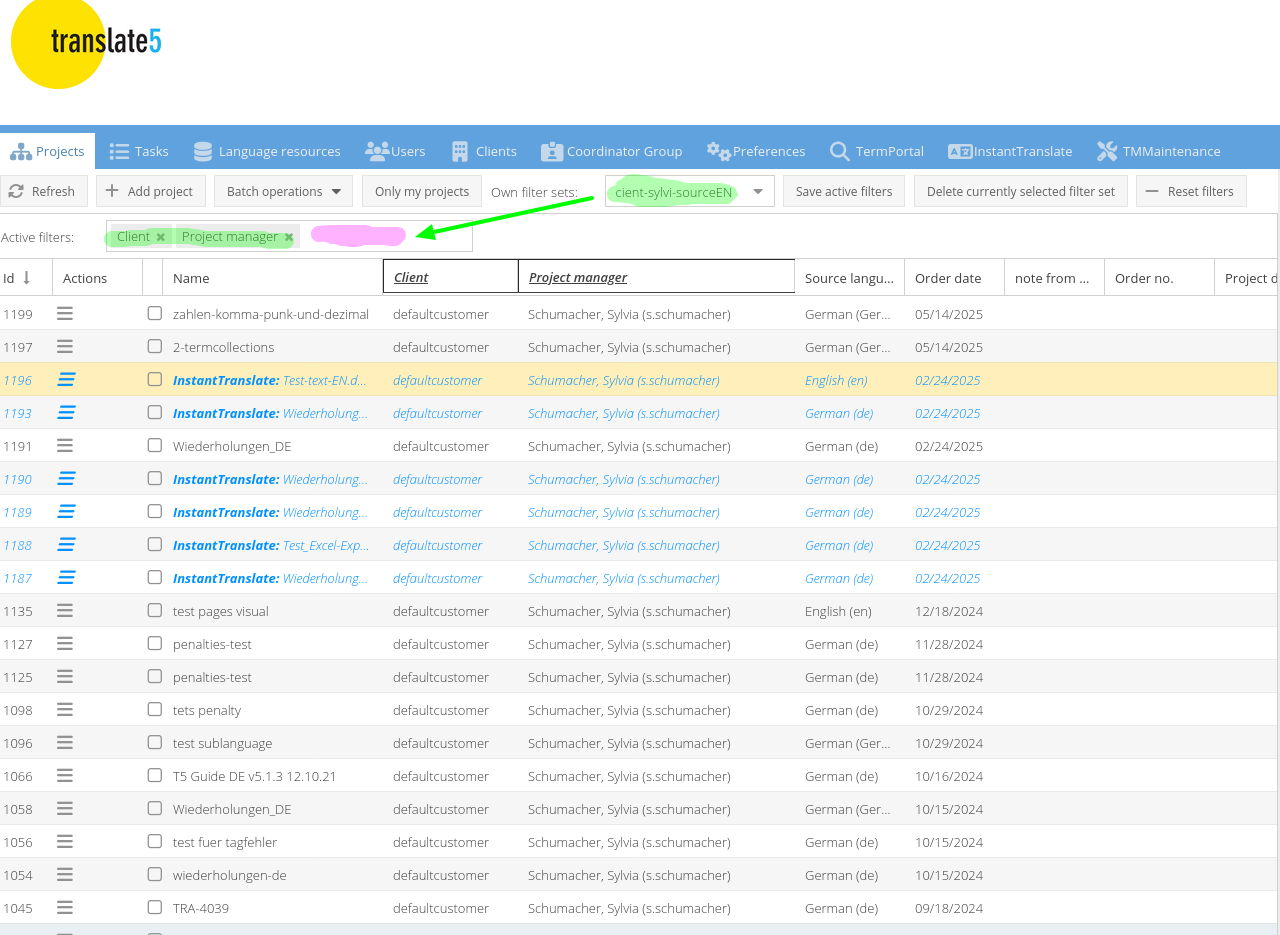
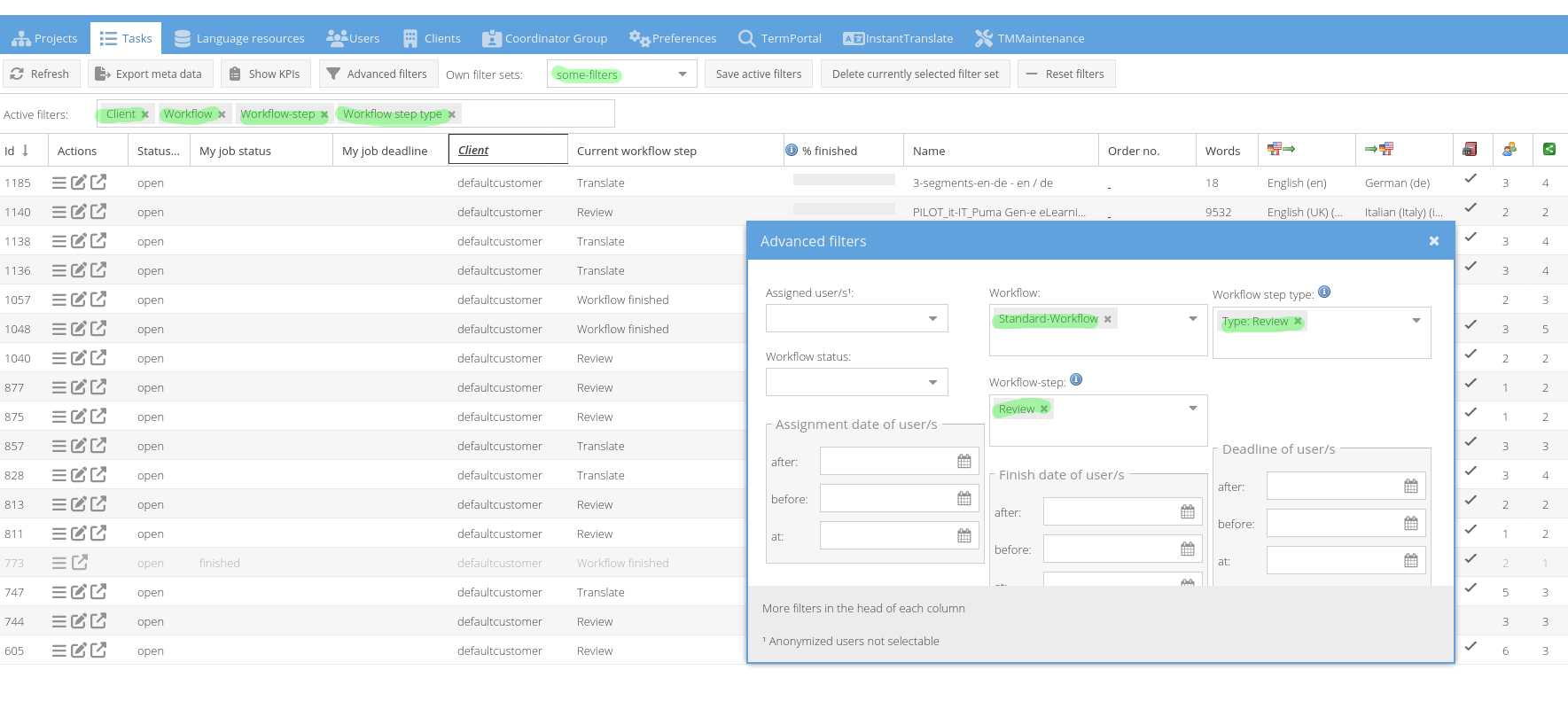
Show active filters in a new line as in the tasks overview in all overviews: Projects, Language resources, Users, Clients and (future) Coordinator groups
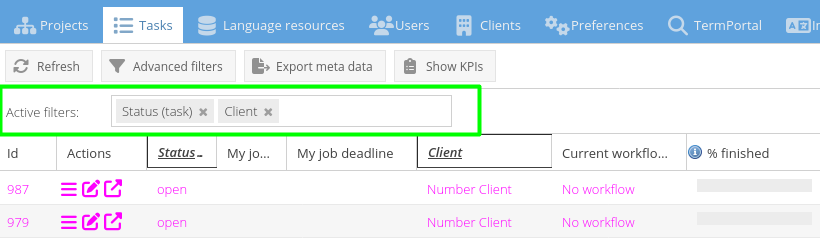
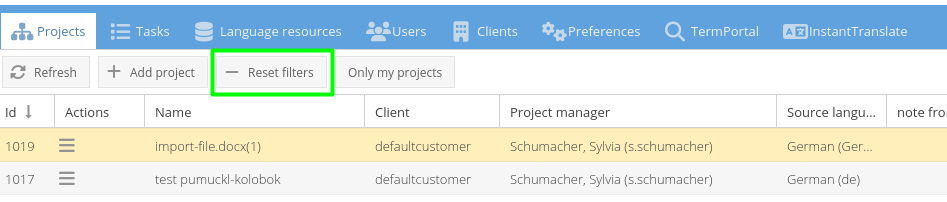
Take over the Reset filters button in every overwiew
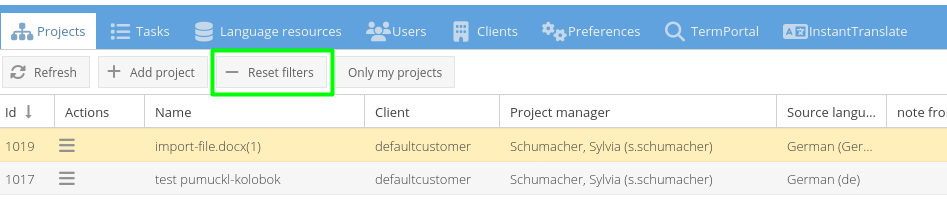
Add the above green elements to all tabs mentioned above.

2. task overview: change order, add reset filters button, add Active filters "bar"

3. Language resource overview: add Reset filters button, add Active filters "bar"

Layout: Always set the filter related buttons/dropdowns last ("add project" button/"add user user" button/etc first, any special operations button like "export meta data" in task overview second, followed by all filter related stuff, last button always "reset filters" as in project overview.
4. Add the "bar" with Active filters to all overviews



- blocks
-
- Selected for dev
- is blocked by
-
- Done