-
Type:
Improvement
-
Resolution: Fixed
-
Affects Version/s: None
-
Component/s: Task Management
-
High
-
None
-
Added tooltip and info panel for the batch set properties feature
-
None
-
Emptyshow more show less
Please create tooltips for the batch set properties feature, that are self-explaing on how to use the feature.
Batch set properties button:
EN: Allows you to change properties of multiple selected projects in a batch operation. Example: Change the delivery date for "Translate" jobs for all checked projects at once.
DE: Ändern Sie die Eigenschaften mehrerer Projekte in einer Massenoperation. Beispiel: Ändern Sie die Deadline für alle Jobs "Übersetzung" aller markierten Projekte gleichzeitig.
Add in batch set window before the properties:
EN: Select projects and their corresponding tasks by clicking the checkbox (you can also select/deselect single tasks, e.g. in multi-task projects) or apply filters to your project list. Then select the property you want to change and add the new value.
Click "Set for all selected" to change the property for all checked tasks or click "Set for all in current filtering" to change the property for all tasks in the currently applied project filtering.
DE: Wählen Sie Projekte und die dazugehörigen Aufgaben aus, indem Sie auf das Kontrollkästchen klicken (Sie können auch einzelne Aufgaben auswählen bzw. die Auswahl aufheben, z. B. bei Projekten mit mehreren Aufgaben) oder wenden Sie Filter auf Ihre Projektliste an. Wählen Sie dann die Eigenschaft, die Sie ändern möchten, und fügen Sie den neuen Wert hinzu.
Klicken Sie auf „Für alle selektierten ändern“, um die Eigenschaft für alle markierten Aufgaben zu ändern, oder klicken Sie auf „Für alle in Filterung ändern“, um die Eigenschaft für alle Aufgaben in der aktuell angewandten Projektfilterung zu ändern.
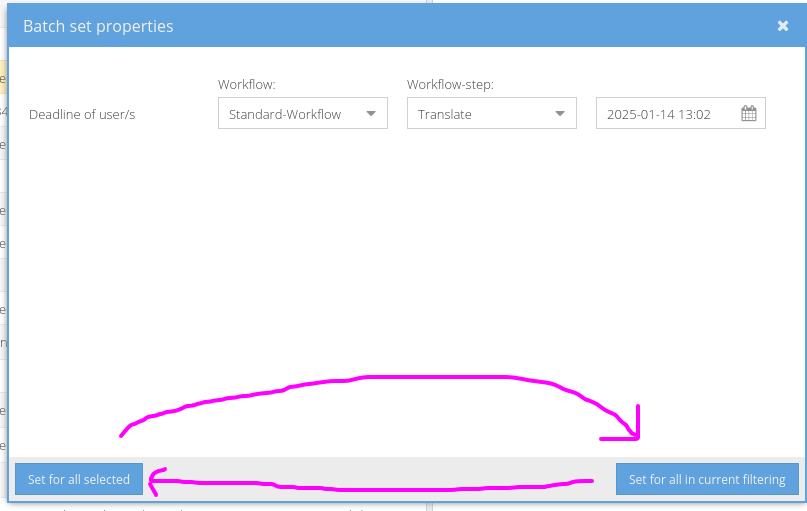
Users tend to click on the button in the right bottom of the window, so we should swap them:
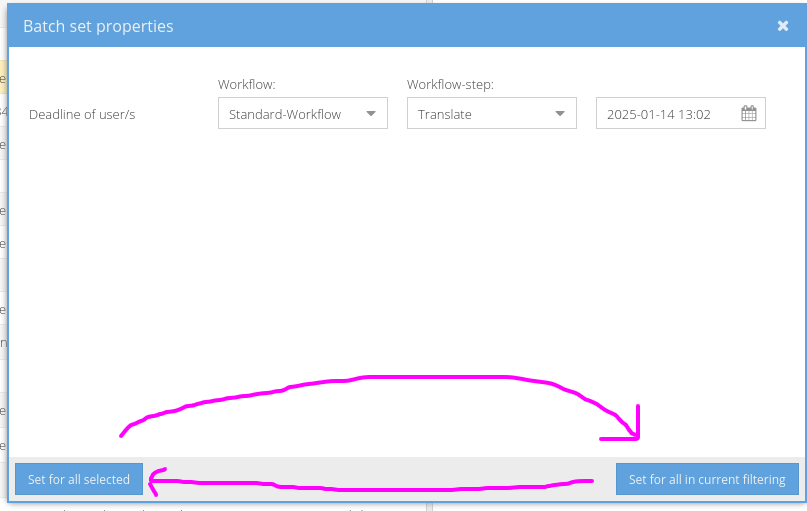
And make sure that confirming with the return key will use "Set for all selected" as well.