-
Type:
New Feature
-
Resolution: Fixed
-
Affects Version/s: None
-
Component/s: InstantTranslate
-
Medium
-
None
-
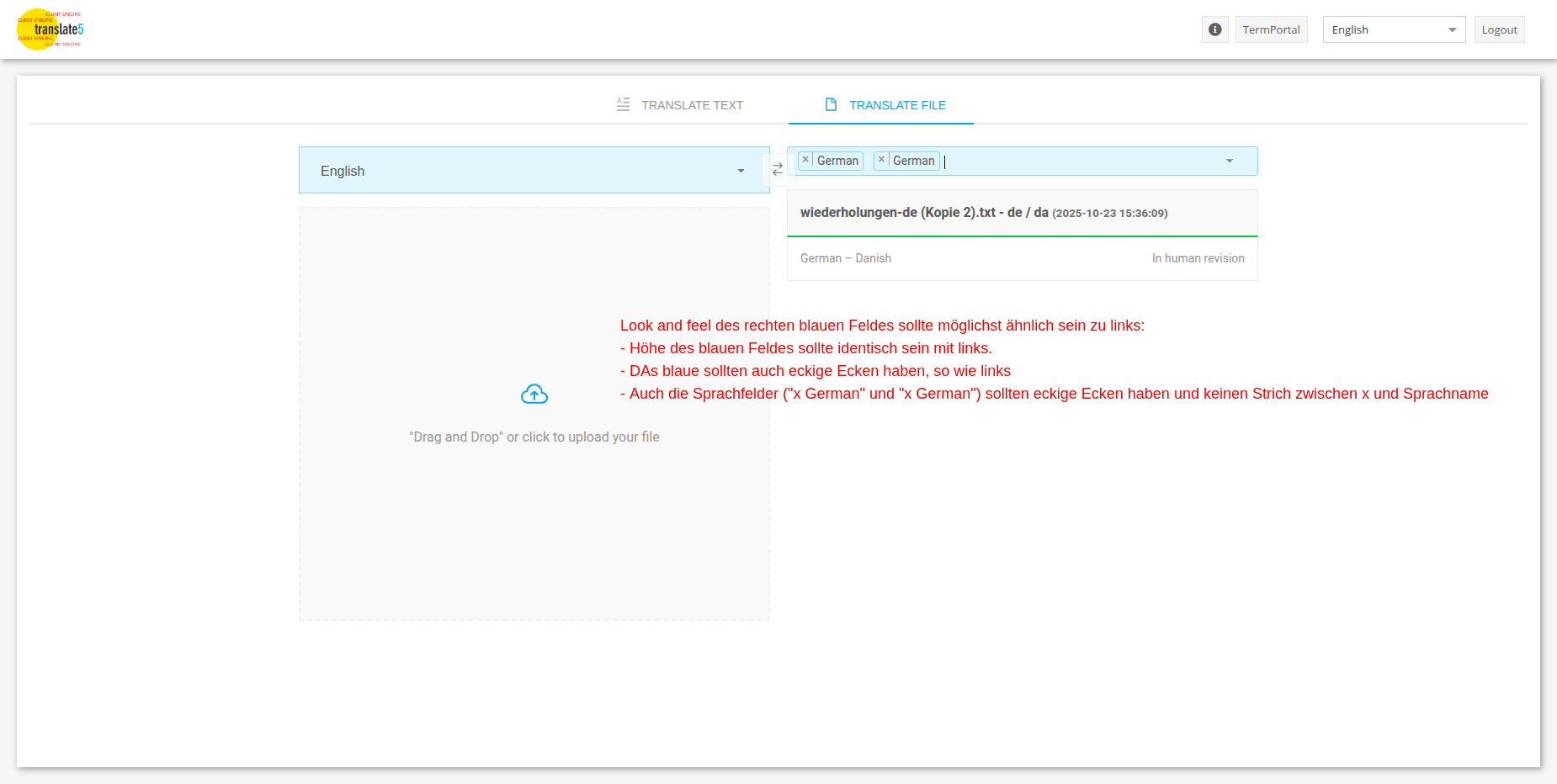
New feature where files in instant-translate can be translated to multiple languages. To enable it, activate: runtimeOptions.plugins.InstantTranslate.enableMultiLanguageFileTranslation
-
None
-
Emptyshow more show less
Solution
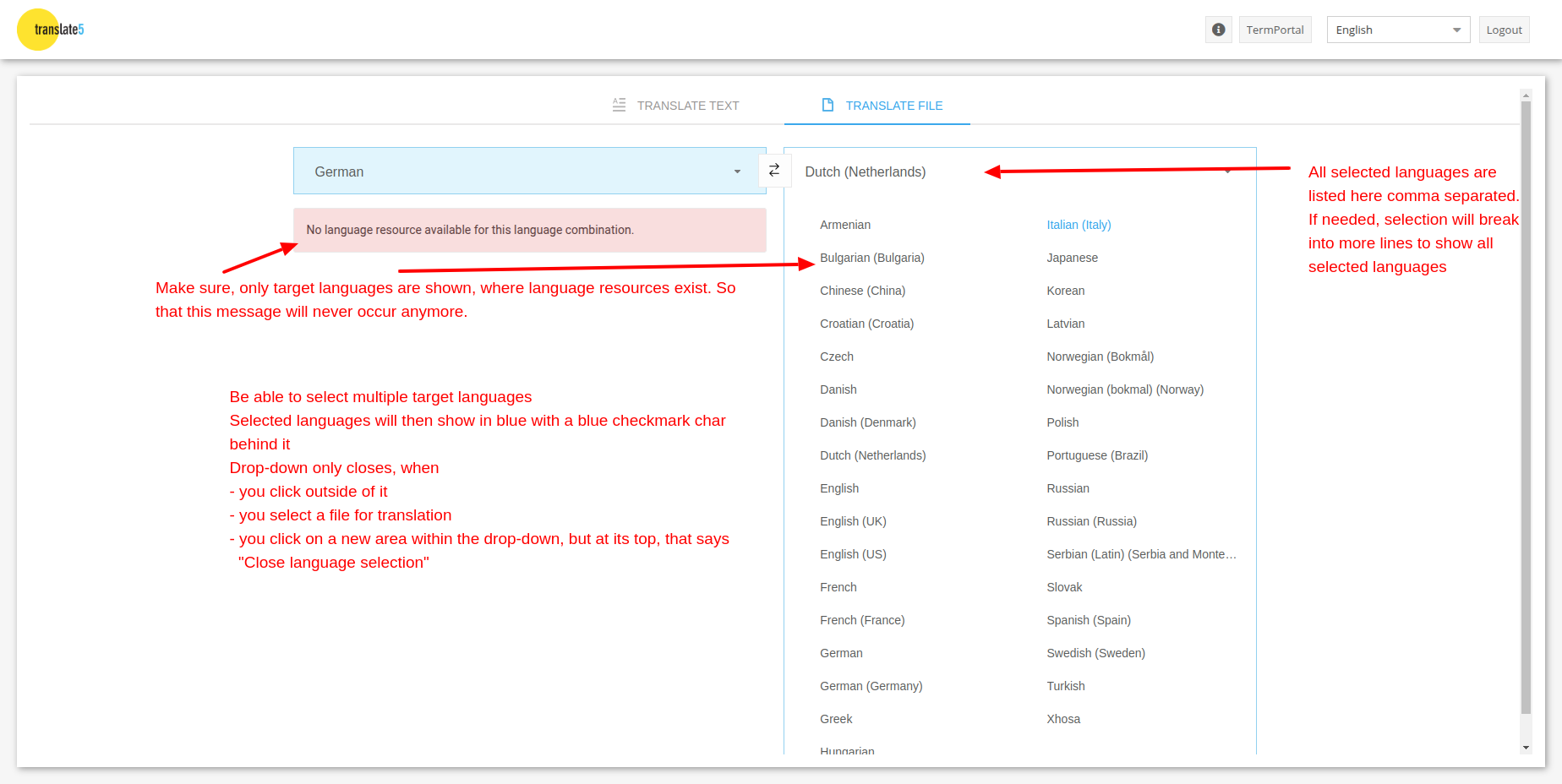
For file translations it should be possible to selected multiple target languages.
For each selected target language a separate file translation will be triggered in the same way and with the same results, as if the user can do it one by one at the moment.
A config switch should make it possible to (de)activate the feature in a translate5 instance.
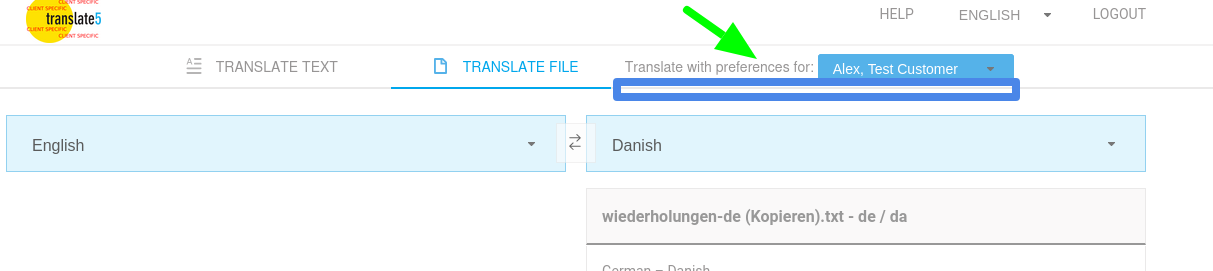
The client selection (if more than one available for user) should be moved up like this, no matter if multiple languages is turned on or off:
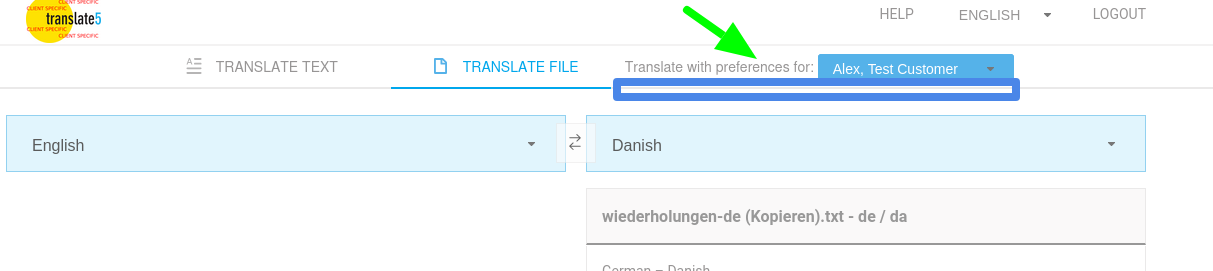
But move the blue line and include the are of the blue box, too. Change text:
DE: DATEI ÜBERSETZEN mit Einstellungen für:
EN: TRANSLATE FILE with preferences for:
When multiple languages are selected, one InstantTranslate project is created containing multiple target language tasks. These are only visible for sysadmins (as is already).
As soon as the user sends one target file to human revision, the prefix will be removed from the project and from the target task which is sent to human revision. All other target tasks keep the prefix and remain invisible for PMs. As soon as the next "language" is sent to human revision, the prefix will be removed again. Every time the notification email is sent to PM. So we could have the following: File is translated into 8 languages, 3 are sent to human revision, 5 tasks remain "InstantTranslate" tasks and are only visible for Sysadmins.
The translated target files must be offered one by one, as users could have the right to open them in editor.
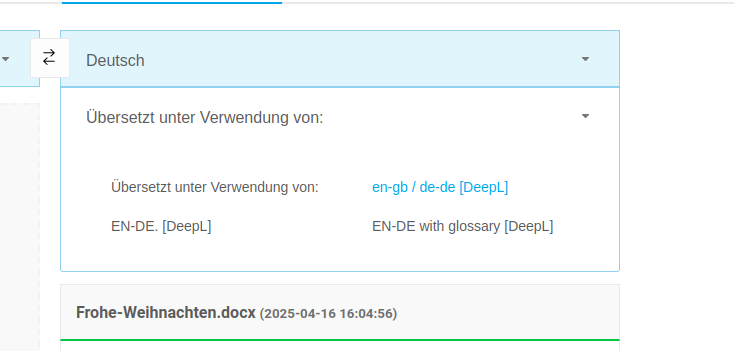
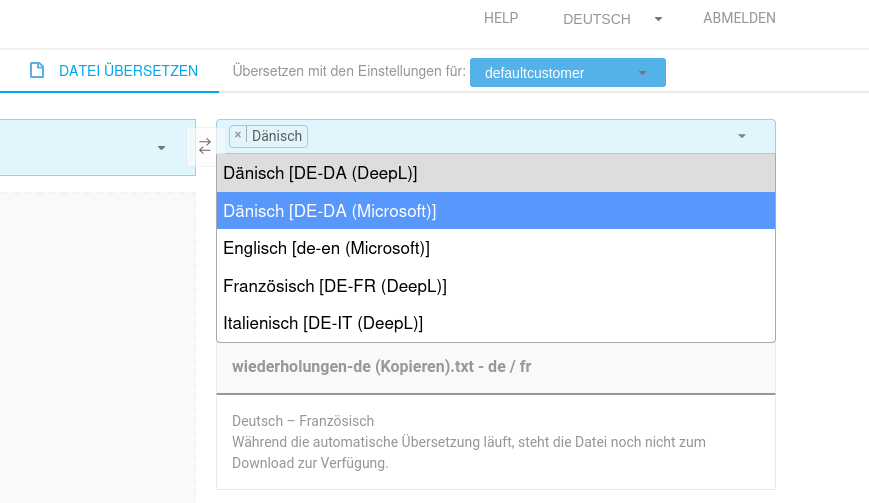
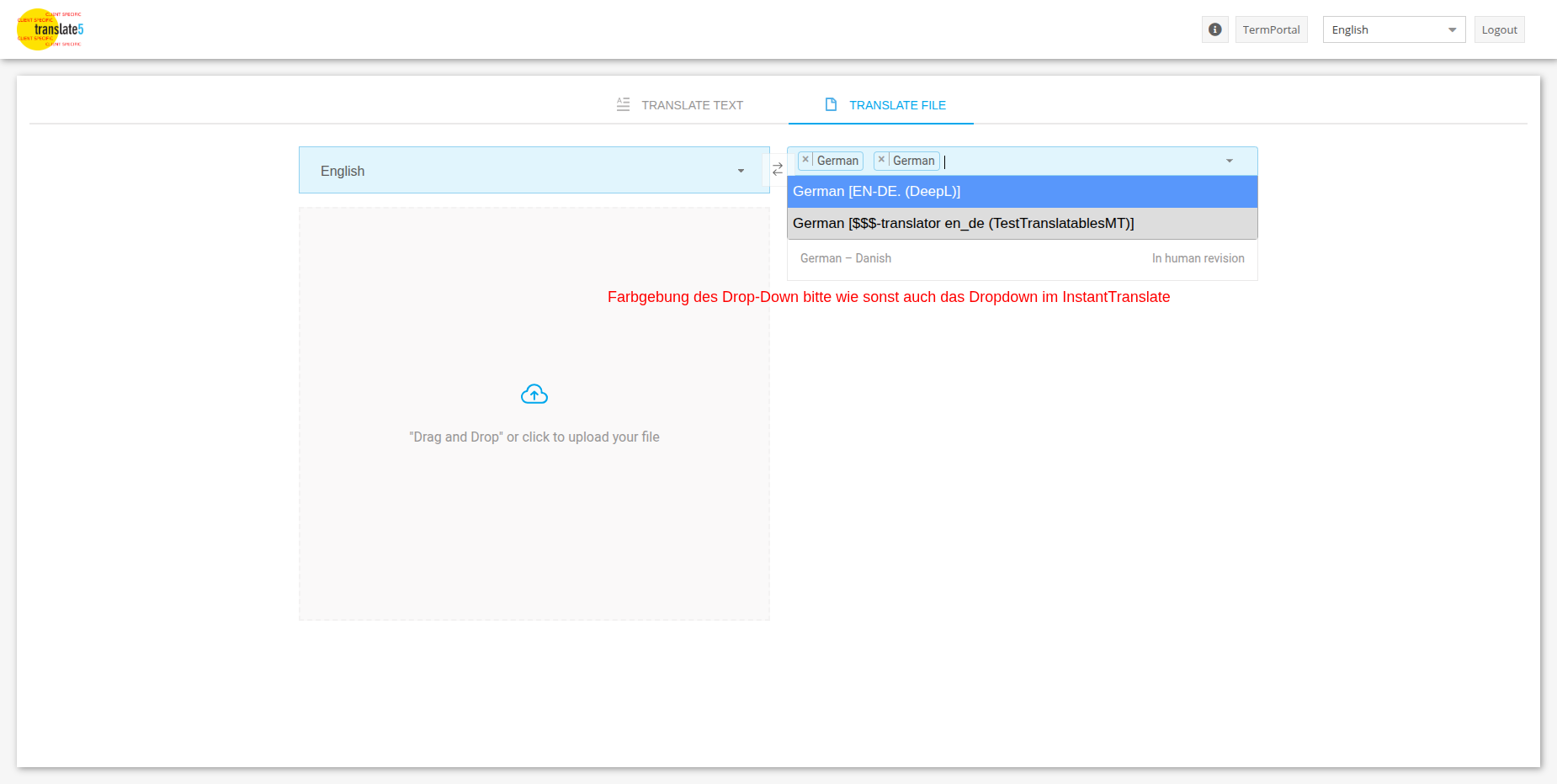
When there are multiple MTs available for the users in some target languages, show multiple list items for that language:
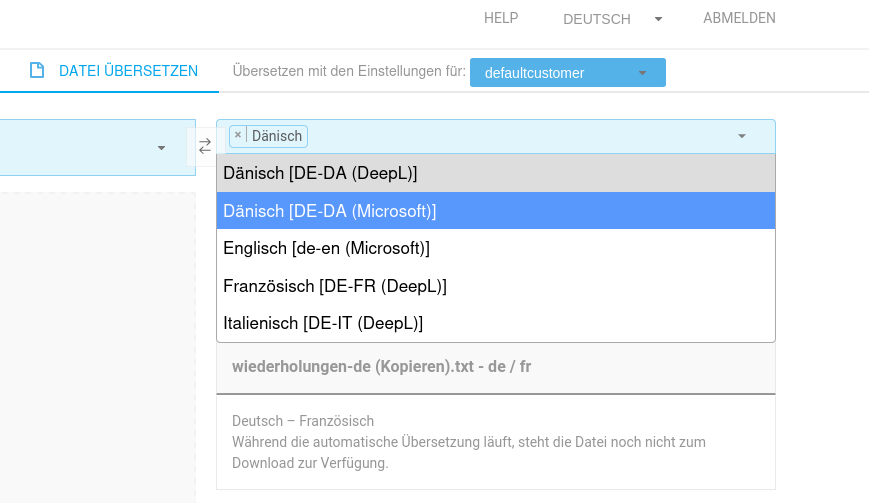
These items can be selected both. So we would have two tasks into Danish in our example, one from DeepL and one from Microsoft.
Important:
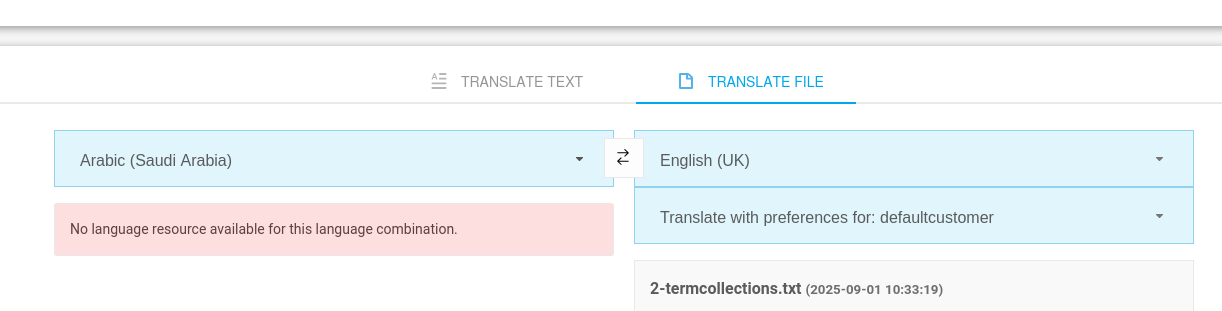
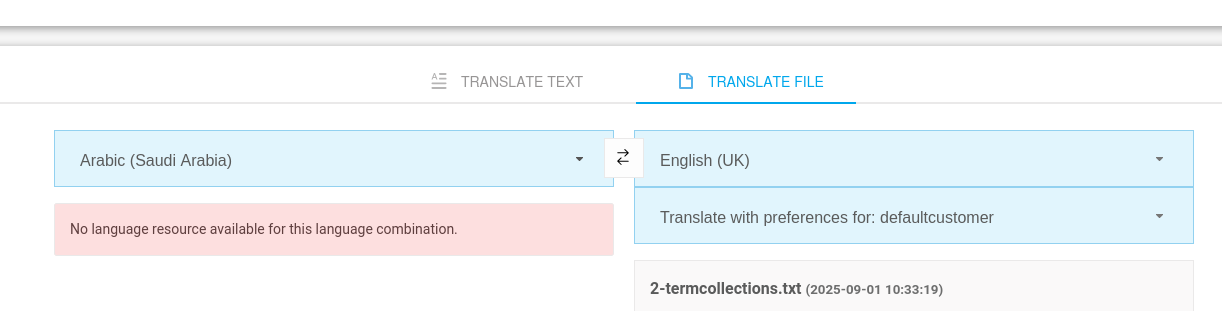
If the user changes clients and the selected language or languages is no longer available, give an Info as is already but remove the red background, make it neutral and keep the information box as long as the languages are not changed to some available options.
Recommendation:
Instead of Comma-seperated list, we may use as target-language "Dutch (Netherlands) and 7 more languages" and show the languages in a Tooltip over "7 more languages".
TODOs:
- Frontend: calculate available target languages dynamiccally according the selected source-lang
- Frontend: Enrich Language-selection with check-boxes (only for File-Translation!)
- Frontend: Adjust Request to send multiple lang-isos
- Frontend: Create Multiple File-Download-Items polling for finish
- Backend: Receive multiple lang-isos
- Backend: Create/queue file-translation for multiple languages
- causes
-
TRANSLATE-5098 Customers file filters are not used for file extension checking
- Done
- is blocked by
-
- Done
- relates to
-
TRANSLATE-4998 only languages should be selectable where MT is available for current user
- Done
-
TRANSLATE-3760 InstantTranslate: End user switch to select, which MT language resource should be used to translate a file
- Done