-
Type:
Bug
-
Resolution: Fixed
-
Affects Version/s: None
-
Component/s: TermTagger integration
-
High
-
None
-
Source terms' languages are now aligned to match task source language (unless there's a sublanguage mismatch) to make those terms recognizable by TermTagger
-
None
-
Emptyshow more show less
Problem
For details see linked TS-issue.
how to reproduce:
Create a new TermCollection with the sample data
Import sample Task:
- source-lang: DE, target-lang: EN;
- Edit unchanged 100% TM matches: enabled
- new created TermCollection as language ressource
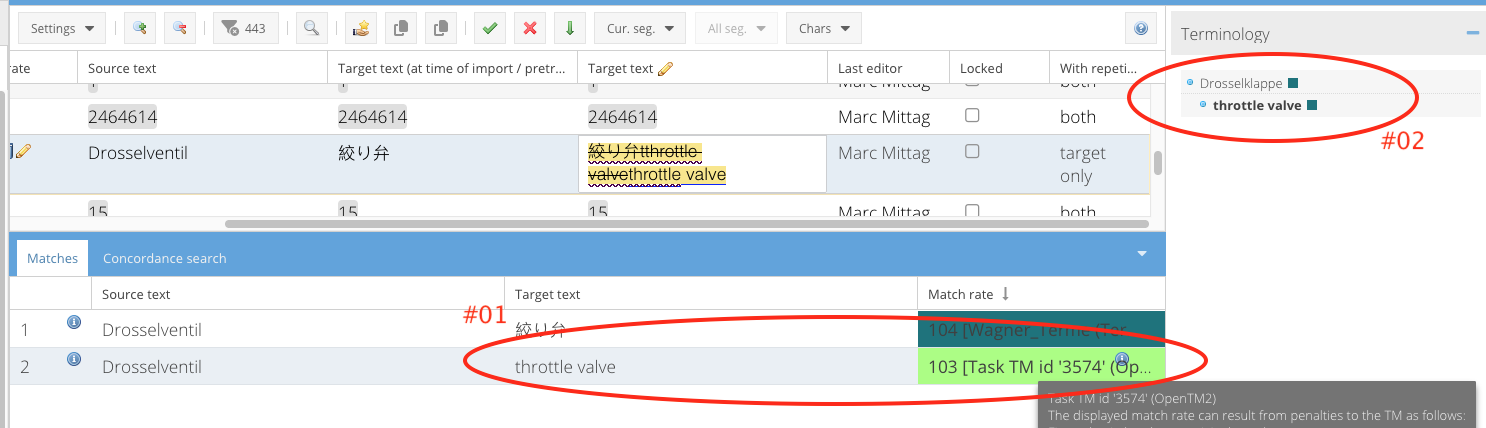
After import is finished, go to segment #256 and it looks like this:

This is "OK" because the Chinese chars are stored like this in the TermCollection. Segment is connected to Term "Drosselventil"
Now enter the segment and replace the Chinese with "trottle valve" and save:

I'm not 100% sure if this happens when you enter the corrected text simply by typing it into the segments target, or (and this is my guess how it happens) it only happens when you correct it by "taking something from the matches panel". See screenshot:
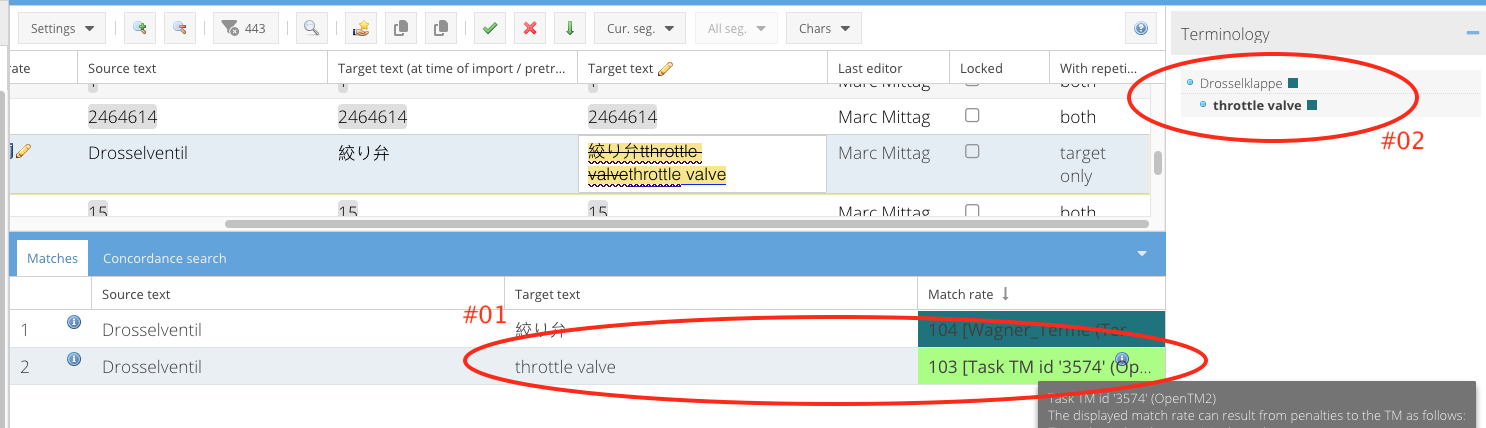
So my guess is: it happens when you click on #01. Then the "segments term binding" changes to the wrong term, which can be seen at #02.
Solution
description must be done by developer. Segment should not loose its connection to the original term "Drosselventil"