-
Type:
Bug
-
Resolution: Fixed
-
Affects Version/s: None
-
Component/s: LanguageResources
-
Medium
-
None
-
Make glossary synchronisation grid scrollable
-
None
-
Emptyshow more show less
Problem
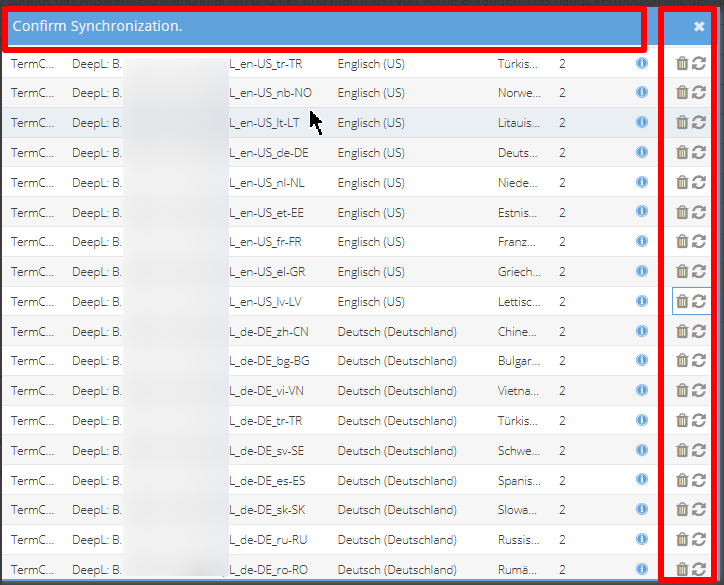
With many language resources (more then 30) the language resource synch window is not showing all.
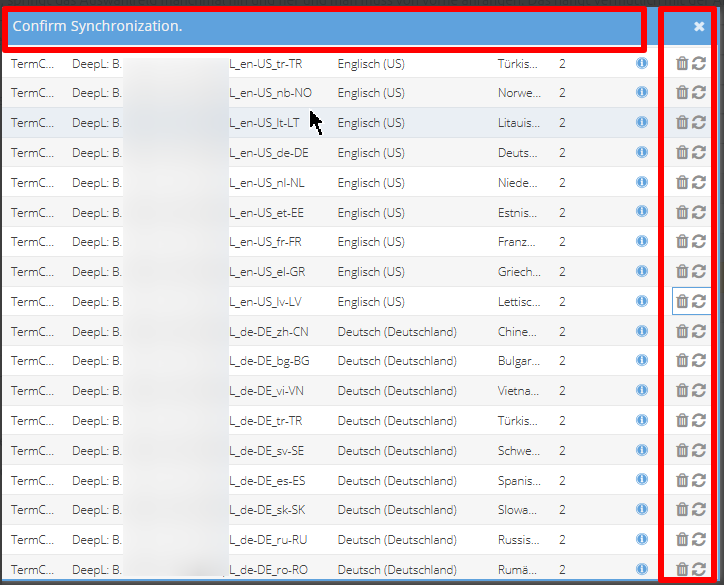
- There are no scrollbars in that window
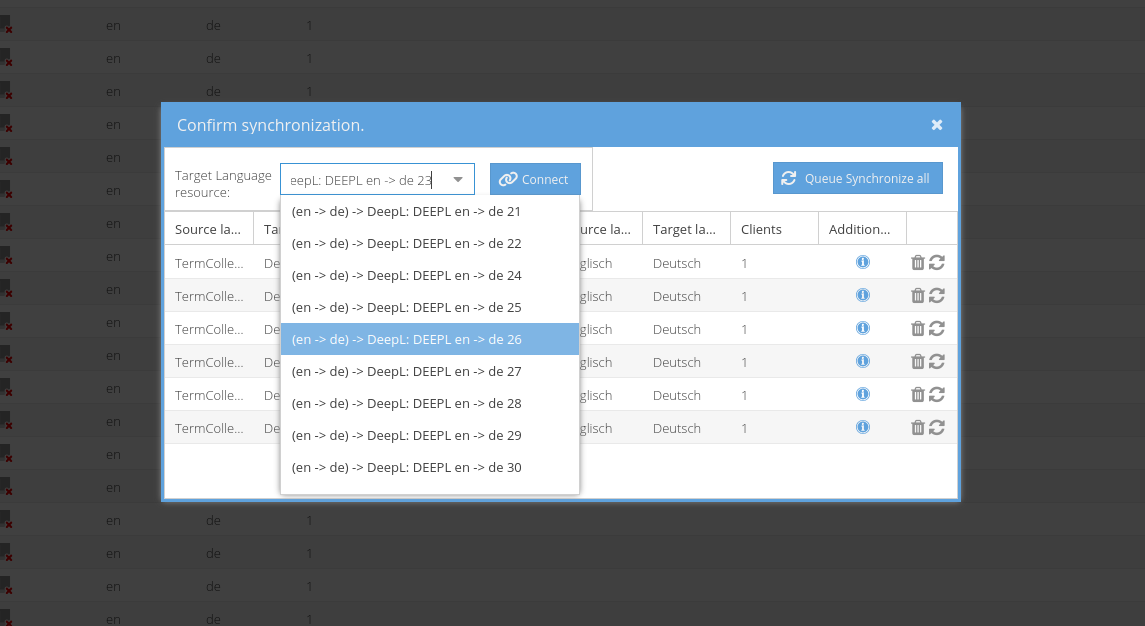
- After one language resource has been synched, the buttons to add new ones (if available) and to synch all disappear, see screen
- When connecting a TermCollection to a language resource, after selecting the resource from the dropdown, the resource will disappear from the dropdown and the dropdown will close. The user has to open the dropdown again and search for the next language resource to connect again (wanted behaviour is: user can select one language resource after the other as TermCollections contain multiple languages which can be used as glossary to lots of different DeepL resources then e.g.. DE-EN, DE-FR, DE-IT, DE-RU etc.)