-
Type:
Improvement
-
Resolution: Unresolved
-
None
-
Affects Version/s: None
-
Component/s: TermPortal
Problem
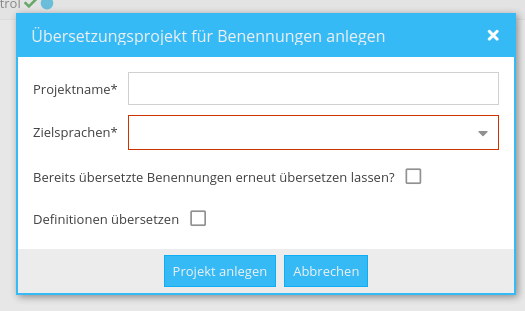
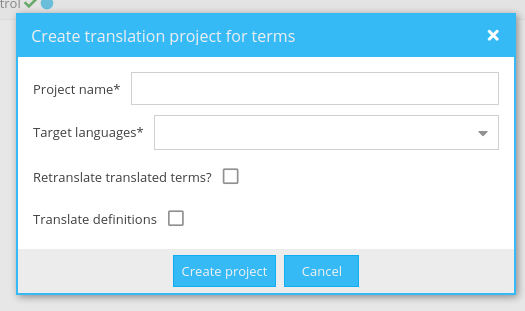
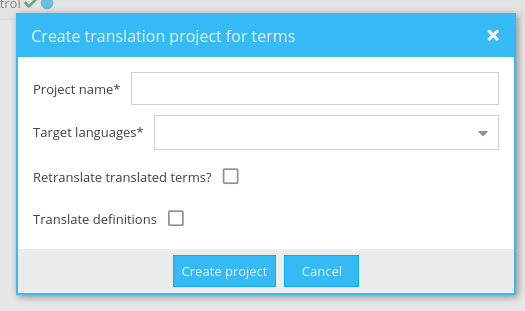
In the TermPortal it is possible to select terms from the search language and have them translated into any target language.
There are two more options: translate translated terms again yes/no and have definitions translated yes/no. After the task has been translated, PM can re-import the terms back to the TermCollection. However, the logic is not quite obvious and e.g. all term level attributes of the source term will be copied to the newly added translated term.
Translated terms will be added as synonyms to the entry of their source terms (attributes copied as said above, even usage status).
In case of "translate tranlsated terms again", the "old version" will just remain in the TermCollection as well.
The terms are added as finalized.
When "translate definitions" is selected, the definition text is added above the term, which is not expected.
Solution
Change text in term translation dialogue: EN: "Translate language level definitions. Existing definitions will be overwritten."
Change text to: "Review translated terms." Add tool tipp: "Reviewed versions will be added as new synonyms, original versions will be set to "do not use". When original version is not changed, nothing will be changed. When original version is changed into an already existing synonym, original version will be set to "do not use" and already existing synonym will not be changed."
Add info box below all, above buttons: New terms or reviewed terms will be set to process status "unprocessed" and need to be checked and finalized by a Term PM.
Term translation
After translation, on re-import into the TermCollection, add them in process status "unprocessed".
Inherit all source term attributes, that is ok here because the term still has to be finalized.
Add a custom attribute "translate5 term translation process" with value "Term translation from task ID XXX" as text area
Term review
The translated new term versions should be imported with usage status "unprocessed"
They should inherit all attributes and values from the source term
Add a custom attribute to the new term version "translate5 term translation process" with value "Term review from task ID XXX" as text area (add values again and again if terms are reviewed again and again).
Extra: The former version, that was used for pre-translation (as there could be more than 1 term) should be changed
- Add a custom attribute to the old term version "Term review from task ID XXX" (append value if attribute already exists)
- Keep all attributes except:
- Change the process status to unprocessed
- Change the usage status to do not use
Edge case: If existing synonym (review term) is not changed by translator. Then do not change any process status, but add custom attribute "translate5 term translation process" with value "Term review from task ID XXX". Idea behind this: It is visible in the term task for reviewer/translator and thus would be a conscious decision, Term PM has to decide then.
Edge cases: If the new version does already exist as synonym in the TermCollection, still the process status for the old and newly picked existing synonyms should be changed to "unprocessed". Old version should be set to do not use as usage status, newly picked will keep everything because it already existed in the TermCollection, except the process status, this will be set to "unprocessed" (and add custom attribute).