-
Type:
New Feature
-
Resolution: Fixed
-
Affects Version/s: None
-
Component/s: VisualReview / VisualTranslation
-
Medium
-
None
-
Visual: Add optional Button to open the source-PDFs in the browsers native PDF viewer
-
None
-
Emptyshow more show less
Problem
Some Visuals show text in another orientation and even mixed orientations, e.g. packaging Visuals. This is hard to read for users.
Solution
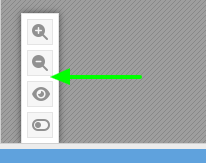
Add a button opening the PDF of a PDF-based visuals. The Button will only be hown for PDF-based visuals.
The button will open the underlying PDF of the visual in a new Tab (in case of a multi-PDF visual: show a small window with the links like with reference-files)
The PDF will be opened in the Browser's native PDF-viewer where are tools to rotate / zoom the PDF.
Please note, that this will be the imported PDF (left iframe) so no translations are applied as in the WYSIWYG / right iframe
Implemantation Details
- add a config to show the "open PDF" button: runtimeOptions.plugins.VisualReview.showOpenPdfInBrowserButton (could even be workflow-step specific)
- URL will be the PDF in the visual's /Archive folder. There must be an own controller/endpoint added to serve the PDF as the following headers have to be added: Content-Type: application/pdf Content-Disposition: inline
- Add a Confirmation "Please do not use the Annotation Feature of the PDF-viewer. Annotations must only be made in the Visual itself" for the first opened PDF of the current session
IMPORTANT
The branch can only be merged after https://jira.translate5.net/browse/TRANSLATE-5525