-
Type:
New Feature
-
Resolution: Unresolved
-
None
-
Affects Version/s: None
-
Component/s: Task Management
-
Low
-
None
-
None
-
Emptyshow more show less
Problem
Some PMs often need to manually assign users to tasks after project is already created. Often these are the same users for analogous tasks for different projects. This is a lot of manual work.
Solution
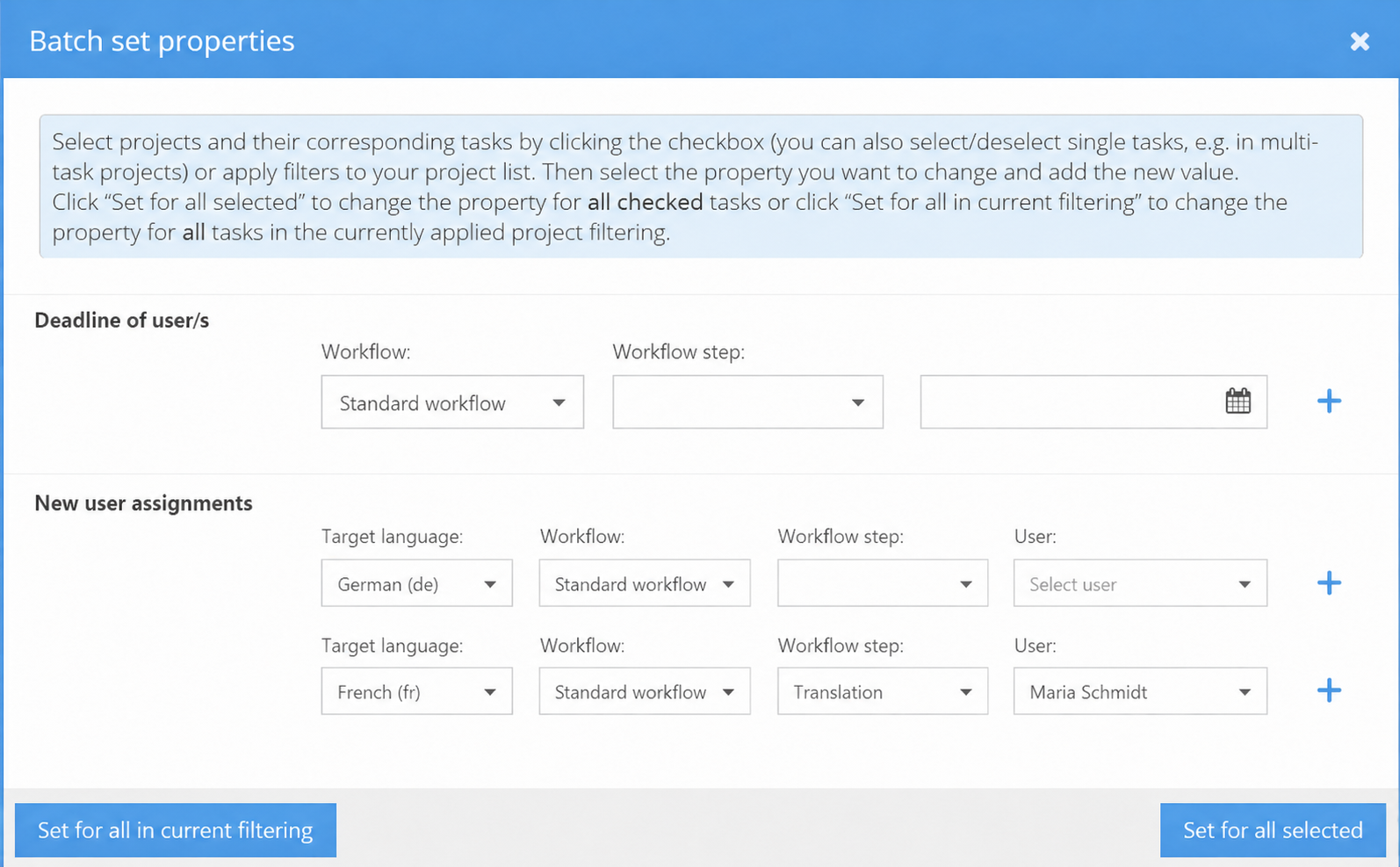
Add the option to "New user assignments" to the existing "Batch set properties" window as new row of form fields.
Add the following fields:
- Target language (only list target languages, that exist in the projects/tasks. If project/tasks are selected, only the languages of those tasks are listed. If nothing is selected, languages of all projects in current filtering are listed)
- Workflow
- Workflow step
- User
For both (the new option to "user assignments" and for the existing option "Deadline of user/s" add at the right side of the last form field in the row add a "plus" icon, that adds another row of form fields of the same type, if clicked. Which can be used to select assignments for a different combination of form field selections.
Attached screenshot shows, how this would look like.
In case there some of the user assignments that should be created already exists as complete duplicates (so target language, workflow, workflow step and assigned user is the same as what should be added as assignment) this new assignment (and only this) should NOT be created.
After new batch user assignments are done a confirmation pop-up should appear. If there had been any complete duplicates, the pop-up should contain a very good visible warning, what user assignments where NOT created, because they already did exist as complete duplicates. This also is logged in the event log of the task.