-
Type:
Improvement
-
Resolution: Fixed
-
Affects Version/s: None
-
Component/s: usability editor
-
Medium
-
None
-
Introduced new processing status "draft" for segments
-
None
-
Emptyshow more show less
problem
- segments are directly saved in a "final" state
- segments with multiple changes can not be saved half finished in order to solve tag problems / lookup other segments etc. Either save or cancel and throw away the changes.
- Initially the direct saving to TMs was also mentioned in the issue, but with task TMs this point is obsolete - so no change to TM saving here
solution
- Introduction of a new segment processing state (auto state) draft, so half finished segments are saved in DB but with processing state draft
- when finalising the segment, the save is done as currently and the final state for the segment for that job/user is calculated in the backend
- Use the current "virtual" state ID 999 to be used for saving to trigger the calculation of the final state on the end (as it is at the moment
- Use the real ID of the new state "draft" when saving the segment as draft
Initially the separation of the processing state into multiple fields was discussed - but this is postponed and not part of this issue anymore since not really needed with the current conception- A job can not be finished when there are segments in draft status. If there are drafts the user gets a message and the task is not finished. → implementation as the current QS check / PDF annotation job finish check when finishing a task.
- When calculation the next unconfirmed segments the draft status must be respected
When a PM is using the task in PM override mode (so not added the PM explicitly as job) no draft mode is possible (buttons disabled / backend error if status draft is delivered from UI)!PM can still use the "save as draft", if wanted, even in finished jobs.
todos
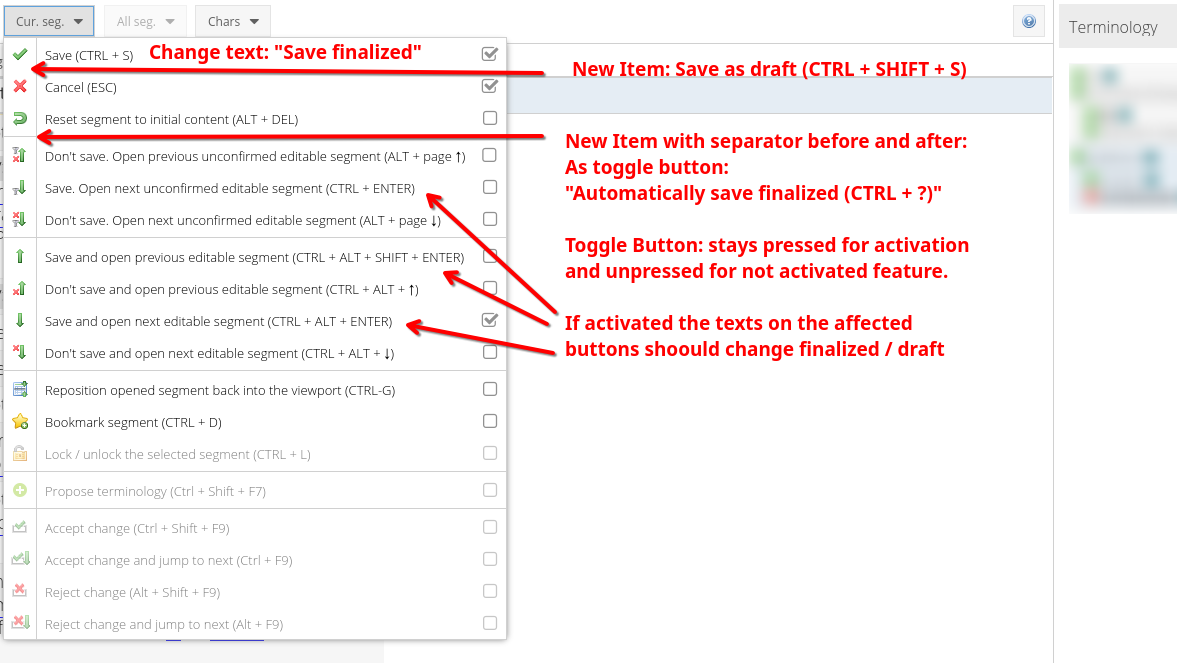
- the previously named "save and jump to next segment in workflow" are now named "save and jump to next unconfirmed" segment - see screenshot. Here better / other texts are needed. sylviaschumacher : reason is that "unconfirmed" can be associated as "segments in status draft". tlauria I would propose "save and jump to next untouched" vs "save and jump to next editable" (in draft mode)
- Segment calculation for that functions: currently the next / prev segment not in the users workflowStep is searched. With draft mode we have to search for segments which are not in the users workflowStep (as currently) or where status is draft
- progress calculation in task overview must be checked: draft segments should not be contained in the progress. May be this is already the case since only the final status values for this step are considered to be in the progress
- Analogous to what is described in https://jira.translate5.net/browse/TRANSLATE-3694 it should be possible to set all segments in the current filtering to status "draft".
- How is it communicated to the user if multiple segments are finalized (so "un"draft) but some of them can not be finalised since they contain tag errors?
- sylviaschumacher Should that check also be in dependency of runtimeOptions.segments.userCanIgnoreTagValidation? yes, should be possible to "un"draft segments when tag errors are allowed, else not.
- disable UI tag check for draft status, since edited segments should be able to be closed automatically and saved in status draft - without user interaction. Therefore no UI check (tag check) may stop / interrupt that (see runtimeOptions.segments.userCanIgnoreTagValidation as reference). Though the backend AutoQA check for the segment should be triggered as usual so that if there is a tag error this is reported to the segments QS
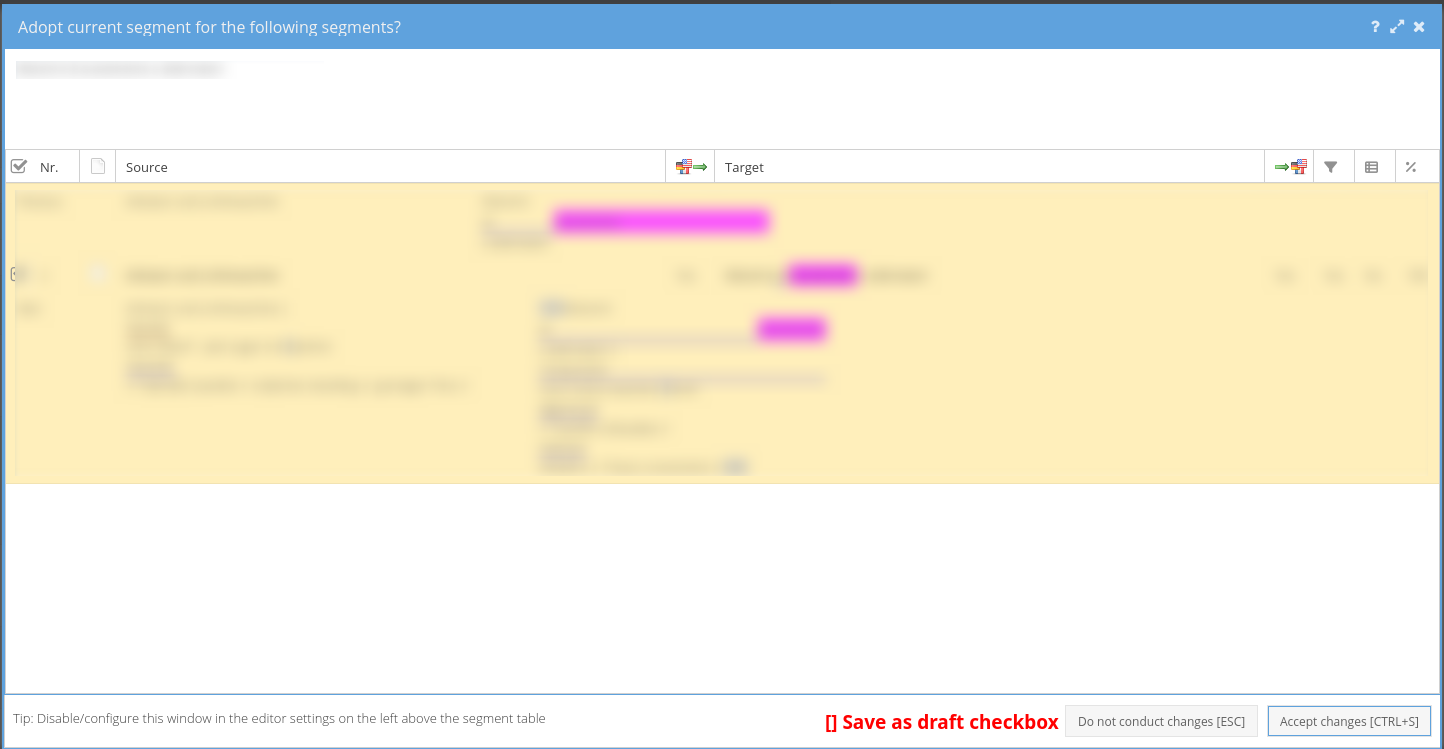
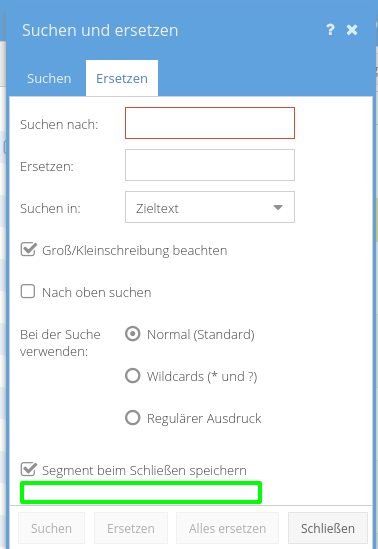
- Repetition Editor and Search and Replace Dialog should
get an additional check box "save as draft" - the default value of the checkbox should be the value of the main draft mode setting (see below in the UI section)respect how the segment has been saved: for ctrl+shift+s and for ctrl +shift + enter all repeted segments should be saved as draft, else not - Fix the following: If you save a segment empty with CTRL+ENTER, the processing status stays "not translated" - as it should. Yet if you again use CTRL+ENTER from a segment above the one saved as "not translated", that one will be skipped. But should not. → might be fixed with new editor inbetween, must be verified first
- Although no complete separation for the segments processing state is planed, a new segment (meta) field autopropagated should be introduced
- ATTENTION - there is already a autopropagated field in segment meta - evaluate if this is doing what is needed and described below:
- this autopropagated field should be set to true for the same conditions as currently one of the "auto-set" processing states is used
- if a draft status is set via repetition editor autopropagated must be set explicitly
- if a segment is finalized (was draft, then saved normally) the final auto-set processing state is used if autopropagated was set before
UI changes
- To the "Segment Save Button Control Drop Down" add a new item "Save as draft (CTRL + SHIFT + S)" (DE: "Als Entwurf speichern (CTRL + SHIFT + S) which always saves as a draft.
- The existing CTRL + S is always saving as finalized segment.
- Both ways can be used to toggle the segment status then.
Add a new item "Save as draft and open next unconfirmed segment (CTRL + SHIFT + ENTER)" (DE: Als Entwurf speichern und nächstes unbestätigtes Segment öffnen (CTRL + SHIFT + ENTER)"
repetition editor
- If automatic repetition save is enabled, respect how the segment has been saved: for ctrl+shift+s and for ctrl +shift + enter all repeated segments should be saved as draft, else not
search and replace dialog
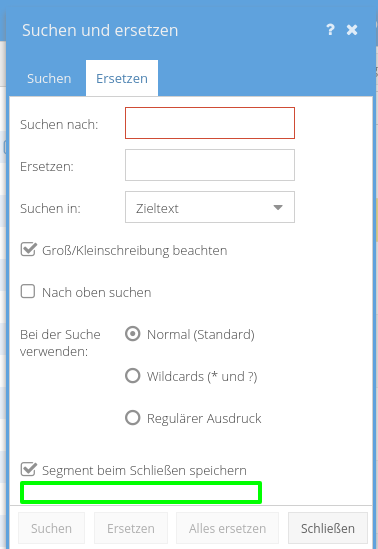
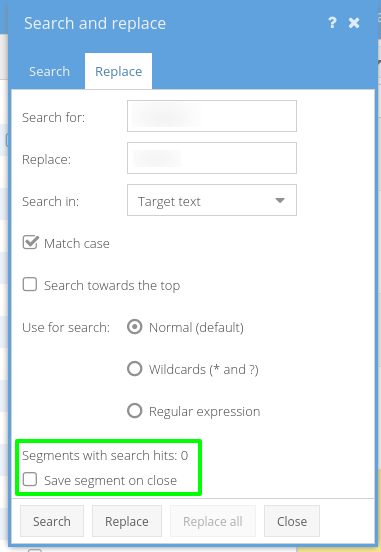
Add a checkbox below (in green area), only one option can be selected:
EN: Save segment on close as draft
DE: Segment beim Schließen als Entwurf speichern.
First option is preselected.
When an editor leaves and finishes a task
On finishing a task check if draft segments are still present, if so show dialogue and do not finish task:
DE: Die Aufgabe enthält noch Segmente im Entwurfsstatus. Setzen Sie den Status auf final um und beenden Sie dann die Aufgabe.
EN: The task still contains segments in draft status. Change the status to final and finish the task then.
When a PM changes status of a job to finished
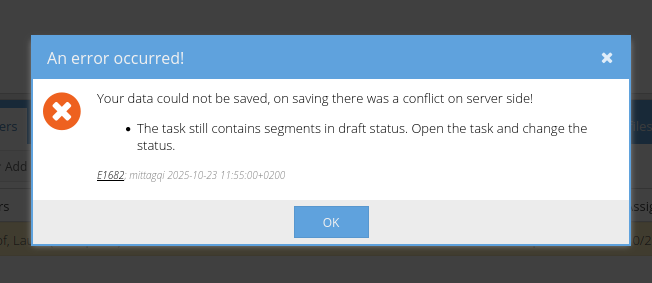
When there are still draft segments, the PM will get a warning:
DE: Die Aufgabe enthält noch Segmente im Entwurfsstatus. Öffnen Sie die Aufgabe und setzen Sie den Status um.
EN: The task still contains segments in draft status. Open the task and change the status.
On doing so all usual "in-task" checks apply (check for must be zero qualities, checks for tag errors if applicable) as for any user who tries to change batch status into final status. Use same warnings etc.
When PM triggers workflow finish
When a status change of a job leads to workflow finish, nothing special to do as long as the order of things is respected above on job finish.
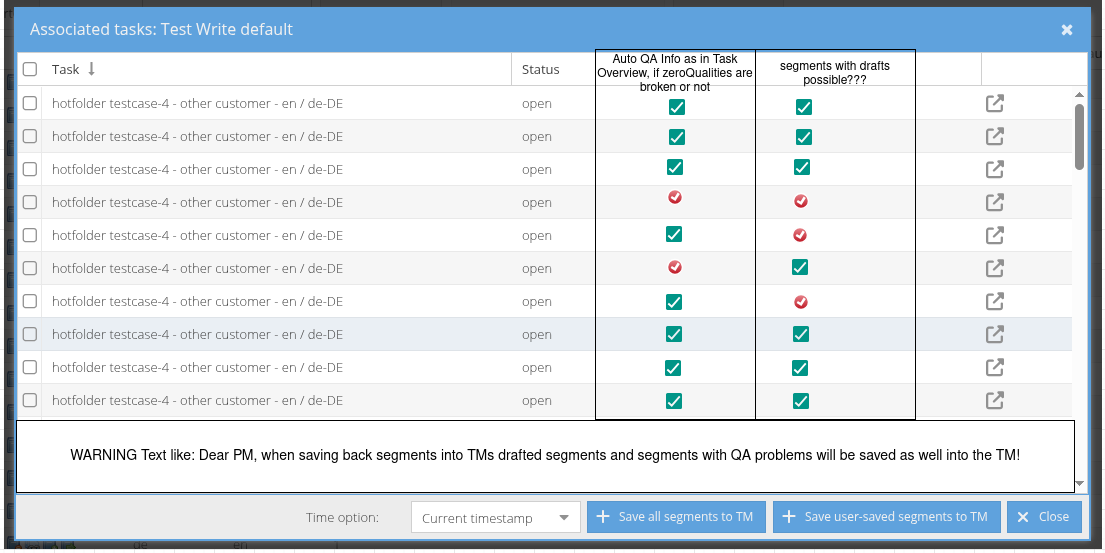
how to integrate/improve "save tasks to TM feature"
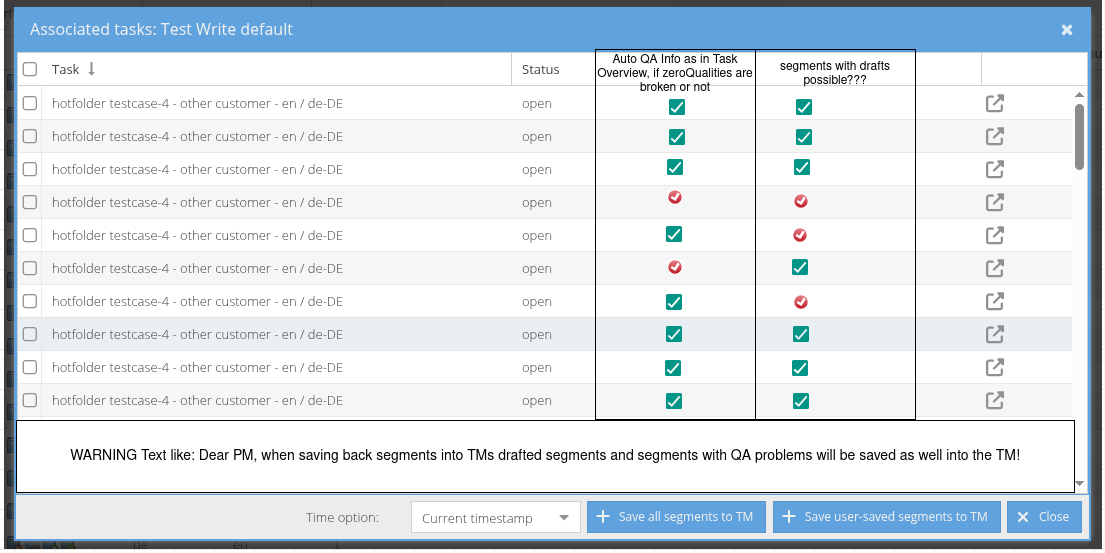
Warning text:
EN: Warning: Do not save any tasks to the TM that have QA errors and/or contain segments in draft status. This leads to incorrect and/or unfinished segment versions in the pre-translation!
DE: Warnung: Speichern Sie keine Aufgaben ins TM, die QA-Fehler aufweisen und/oder Segmente im Entwurfsstatus beinhalten. Dies führt zu fehlerhaften und/oder unfertigen Segmentversionen in der Vorübersetzung!
- blocks
-
TRANSLATE-4128 Replace All Functionality Timeout Results in Partial Processing of Segments
- Done
-
- Done
- causes
-
TRANSLATE-5084 Create proper feasibility assert in job updating
- Selected for dev
- is blocked by
-
TRANSLATE-3694 Finalize status of all segments in the current filtering
- Code review
-
- In Progress
- relates to
-
- Done
-
- Done
