-
Type:
Bug
-
Resolution: Fixed
-
Affects Version/s: None
-
Component/s: InstantTranslate
-
High
-
None
-
Custom customers file filters are not used for file extension checking when using file translation in InstantTranslate
-
None
-
Emptyshow more show less
problem / reproduction
- Add a second customer to a user
- Add to that customer a separate bconf which supports new file types
- application/modules/editor/Plugins/Okapi/tests/OkapiExportBconfTest/typo3.bconf can be used
- Open InstantTranslate
- choose Translate file
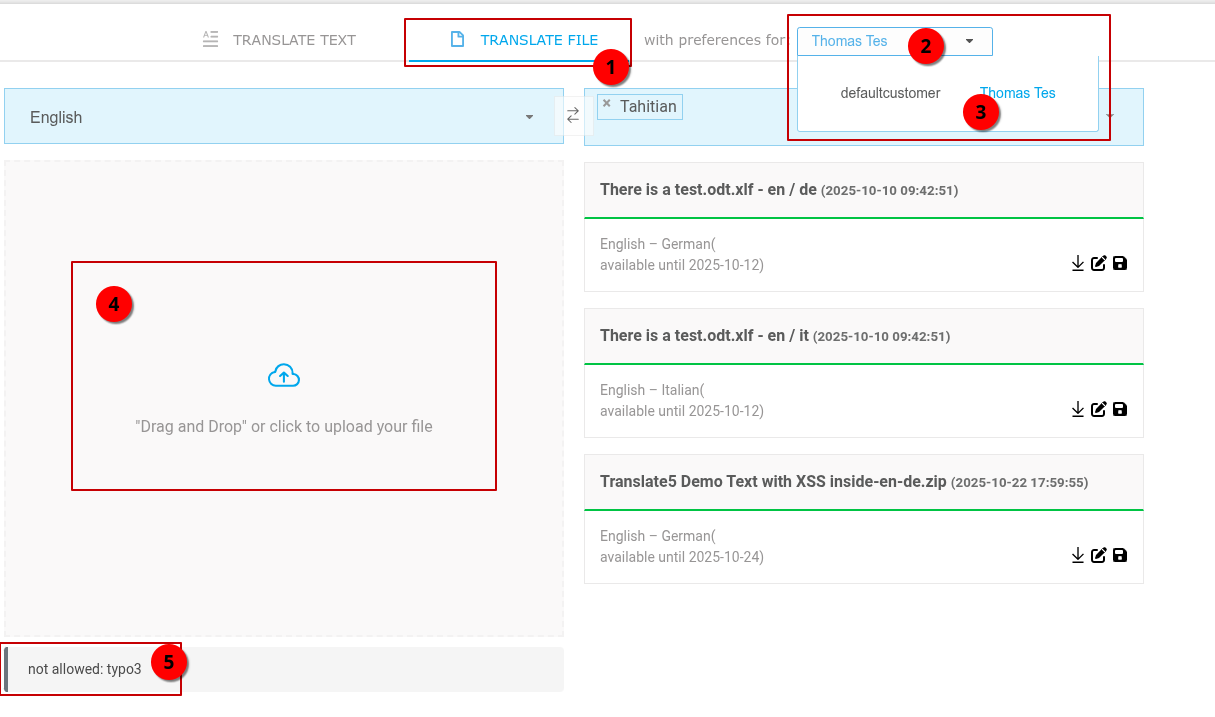
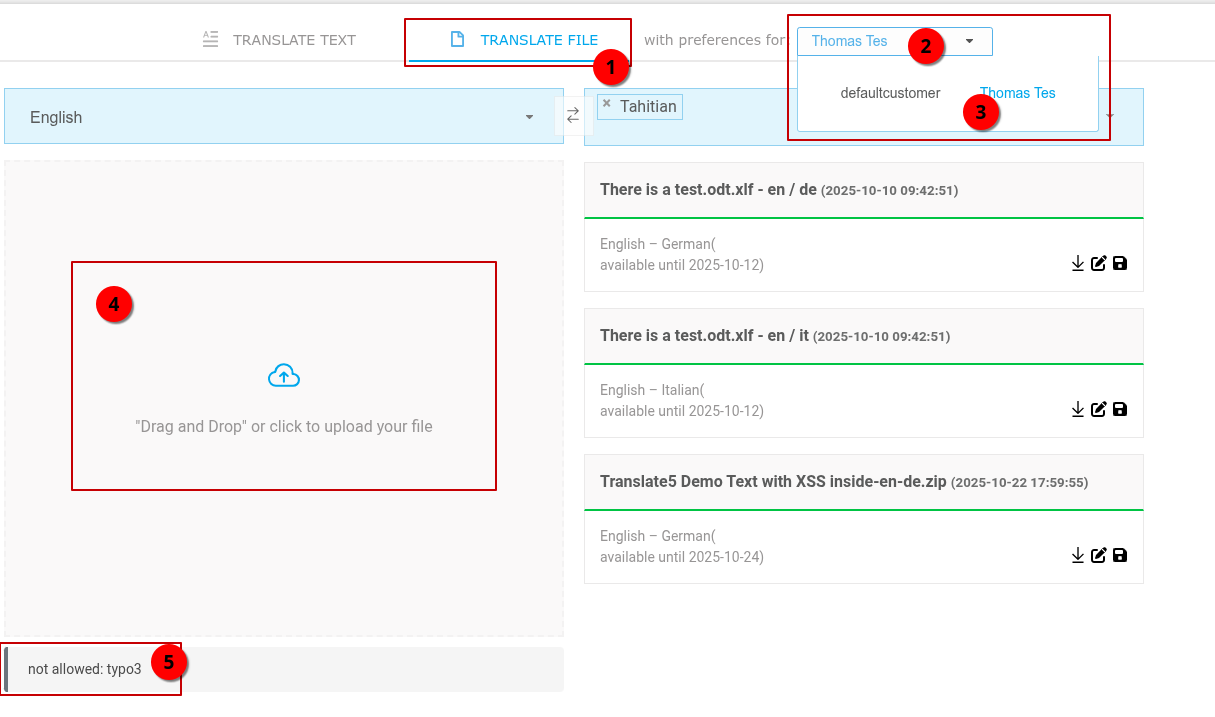
- since the user has multiple customers now, there is a dropdown:
-
- Choose the User (must not be the first customer assigned to the client, otherwise the bug would not happen)
- upload application/modules/editor/Plugins/Okapi/tests/OkapiExportBconfTest/workfiles/export-contentelements-14104-EN.xliff.typo3
- ERROR: file type is not recognized
desired behaviour
File type is recognized and import works since the "Thomas Tes" client from the screenshot has a bconf assigned which supports the typo3 file ending.
technical reason and solution
The reason behind is, that in application/modules/editor/PrivatePlugins/InstantTranslate/Controllers/InstanttranslateController.php only the supported file types of the first customer are stored in the UI for checking:
$this->view->Php2JsVars()->set(
    'supportedFileExtensions',
    FileTypeSupport::fileTranslationInstance()->getSupportedExtensions()
);
This should be changed, so that all supported extensions of all clients of a user are passed to the UI. Suggestion as 2D array, first level customer IDs, second level the file extensions.
Then in the instanttranslate UI can the proper array be used depending on the chosen Customer.

- causes
-
- Done
- is caused by
-
TRANSLATE-4444 InstantTranslate: file translation into multiple languages at once
- Done
